

Golf Training Simulators
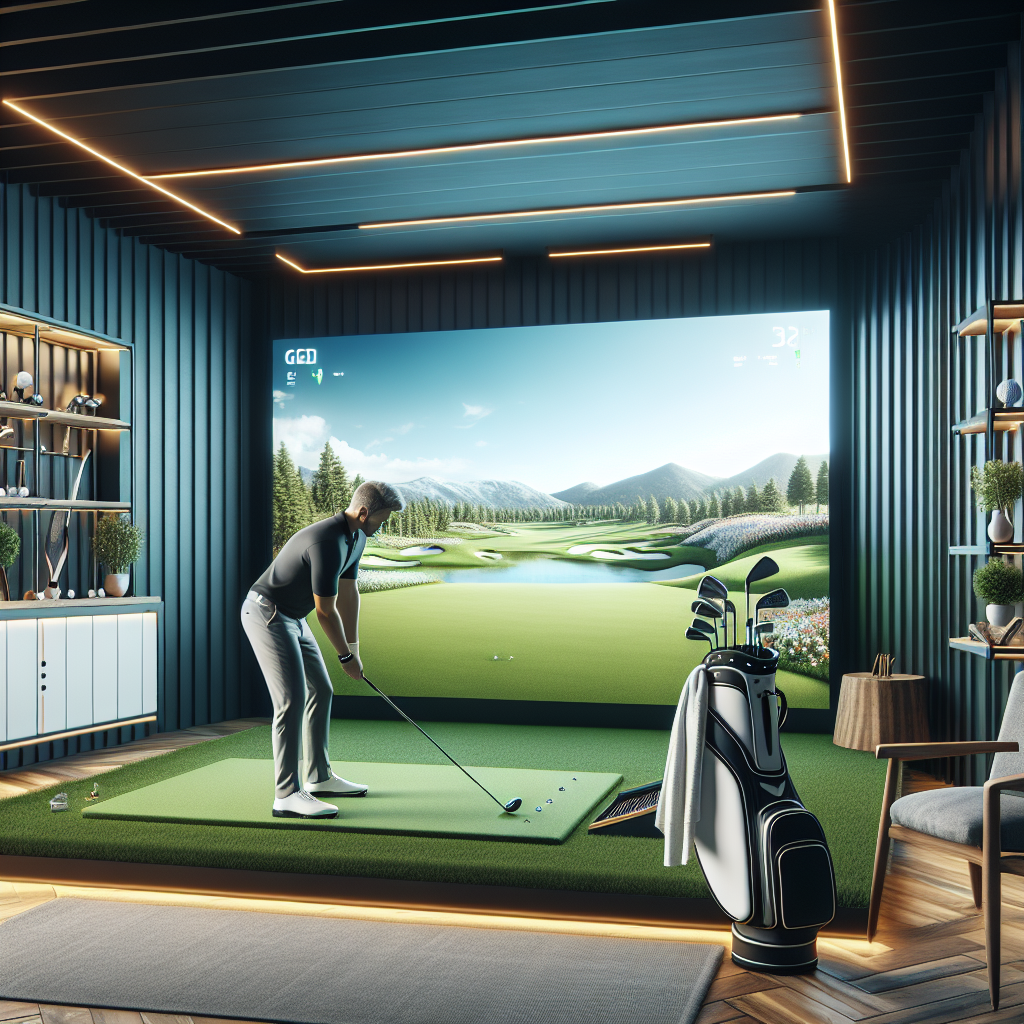
Golf training simulators are becoming increasingly popular among players looking to improve their game, regardless of their skill level. They provide a unique opportunity to practice and analyze swings in a controlled environment. This article delves into what golf training simulators are, their benefits, types, top models available, how to choose the right one, setup requirements, and future trends.
What Are Golf Training Simulators?
Definition and Purpose
Golf training simulators are advanced technological systems designed to replicate the experience of playing golf indoors. They use a combination of software and hardware to provide realistic feedback on swings, ball trajectories, and various other metrics. The primary purpose of these simulators is to help golfers improve their skills by offering detailed analysis and practice opportunities without the constraints of weather or travel.
Key Features
Most golf training simulators come equipped with features that enhance the training experience:
- Swing Analysis: High-speed cameras track the club’s motion and provide instant feedback.
- Shot Tracking: Sensors measure distance, angle, and speed of the ball after impact.
- Realistic Course Simulation: Users can play on famous golf courses through realistic graphics.
- Data Metrics: Comprehensive data is provided, including club speed, ball spin rates, and launch angles.
Benefits of Using Golf Training Simulators
Improved Swing Analysis
One of the most significant advantages of golf training simulators is the ability to analyze swings in detail. Players can see their swing mechanics in slow motion, identify flaws, and make necessary adjustments. This immediate feedback loop helps golfers refine their technique faster than traditional practice methods.
Enhanced Practice Sessions
Golf training simulators create an engaging and interactive practice environment. They allow players to work on different aspects of their game, from driving to putting, all while tracking their progress. This structured approach makes practice sessions more effective, leading to better performance on the course.
Types of Golf Training Simulators
Indoor vs. Outdoor Simulators
Golf training simulators can be categorized into indoor and outdoor types.
- Indoor Simulators: These are designed to be used inside a home or facility. They often require a dedicated space and include advanced technology for accurate analysis.
- Outdoor Simulators: These simulators are typically set up outside and can range from simple nets with projection systems to more complex setups that mimic real course conditions.
Portable Golf Training Simulators
Portable golf training simulators are becoming popular due to their convenience. They are lightweight and easy to set up, making them suitable for outdoor use or small spaces. Players can practice anywhere, from their backyard to a local park.
Top Golf Training Simulators on the Market
Comparison of Popular Brands
Several brands lead the market in golf training simulators, each offering unique features and price points. Here’s a comparison of some of the top brands:
- SkyTrak: Known for its accuracy and affordability, SkyTrak offers real-time data and simulation of various courses.
- TrackMan: A high-end option, TrackMan provides in-depth analytics and is used by professionals for its precision.
- OptiShot: This budget-friendly simulator is great for beginners, offering a fun and interactive experience without breaking the bank.
Price Ranges and Features
The price of golf training simulators can vary widely based on features and capabilities:
- Entry-Level: $300 – $1,000 (e.g., OptiShot)
- Mid-Range: $1,000 – $5,000 (e.g., SkyTrak)
- High-End: $5,000 and above (e.g., TrackMan)
Investing in a simulator often depends on your budget and how seriously you take your game.
How to Choose the Right Golf Training Simulator
Factors to Consider
When selecting a golf training simulator, consider the following factors:
- Space Availability: Ensure you have enough room for setup and operation.
- Budget: Determine how much you are willing to spend.
- Features Needed: Decide which features are essential for your training goals.
- User Compatibility: Some simulators are more suited for beginners, while others cater to advanced players.
User Reviews and Recommendations
Before making a purchase, read user reviews to understand the pros and cons of each simulator. Recommendations from fellow golfers can also provide valuable insights into which model might best suit your needs.
Setting Up Your Golf Training Simulator
Space Requirements
Setting up a golf training simulator requires adequate space. Ideally, you need:
- A height of at least 10 feet to accommodate the swing.
- A width of 10-15 feet to ensure freedom of movement.
- A depth of 15 feet to allow for the ball’s distance after impact.
Equipment Needed
To set up your golf training simulator, you’ll typically need:
- The simulator itself (hardware and software).
- A hitting mat to mimic the feel of real grass.
- A net or screen to catch the ball.
- Optional: Additional sensors or cameras for enhanced data.
Golf Training Simulators for Different Skill Levels
Beginners
For beginners, golf training simulators can provide a fun and low-pressure environment to learn the game. Options like OptiShot are affordable and user-friendly, making them ideal for those just starting.
Advanced Players
Advanced players may benefit from high-end simulators like TrackMan or SkyTrak, which offer detailed analytics and simulations of real golf courses. These simulators can help refine skills and prepare for competitive play.
Future Trends in Golf Training Simulators
Technological Advancements
The future of golf training simulators looks promising, with continuous technological advancements. Innovations in AI and machine learning will allow for even more personalized training experiences and better swing analysis.
Integration with Virtual Reality
Virtual reality (VR) is set to revolutionize the golf training simulator market. Integrating VR technology will enable golfers to experience immersive simulations that closely mimic real-life golfing conditions, enhancing both training and enjoyment.
FAQs
- What are golf training simulators used for?
Golf training simulators are used to analyze swings, practice in controlled environments, and improve overall golf skills.
- How do I choose the best golf training simulator?
Consider factors such as space, budget, features, and user compatibility when choosing a simulator.
- Are there portable golf training simulators?
Yes, many brands offer portable golf training simulators that are easy to set up and use in various locations.
- What skills can I improve with golf training simulators?
You can improve swing mechanics, shot accuracy, and overall game strategy using golf training simulators.
- Do golf training simulators require a lot of space?
While they do require space, many models are designed to fit in smaller areas. Just ensure you have enough height and width for a comfortable swing.
- What are the benefits of using a golf training simulator?
Benefits include improved swing analysis, enhanced practice sessions, and the ability to play on simulated courses regardless of weather.
For more information on golf training simulators, you can visit Golf Digest for expert advice and reviews.
